
Pam App
Pamela RfFood & Drink
4.8103.00 Reviews
- Version
- 2.2.2
- Installs
- 1.00M
- Age Rating
- Everyone
Screenshots


Our Review of Pam App
 Analysis by Appyee
Have you ever felt like keeping track of your daily habits is more challenging than it should be? Well, let me introduce you to the Pam App. This nifty little tool has quickly become my go-to solution for habit tracking, and I’m excited to share why it might just be the app you've been searching for.
Getting Started with Pam App
Upon downloading the Pam App, the first thing that struck me was its sleek and user-friendly interface. It’s like the app designers knew exactly what I needed—a simple way to organize my chaotic life. Setting up was a breeze. You’ll find yourself diving into the app’s features within minutes, thanks to its intuitive design.
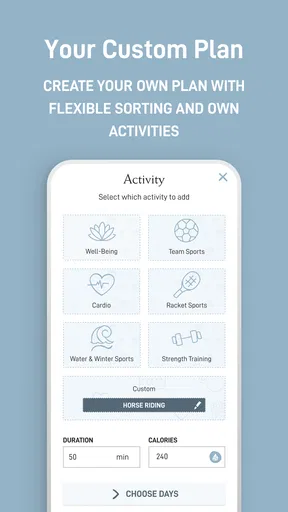
The app opens up a world of possibilities for tracking various habits, from exercise routines to daily hydration. The onboarding process is straightforward, guiding you to set your goals and start tracking immediately. You can easily customize each habit with a name, description, and frequency, making it super personal.
Features That Stand Out
One of the standout features of Pam App is its reminder system. Imagine having a personal assistant that nudges you at just the right moments—Pam does exactly that. You can set reminders for each habit, ensuring you never miss a step in your daily routine. The notifications are gentle yet effective, a perfect balance to keep you on track without being intrusive.
Another feature I love is the analytics section. Pam provides detailed insights into your progress, displaying your habit completion rate with clear visuals. It’s incredibly motivating to see your progress charted out in front of you, encouraging you to keep pushing toward your goals.
Customization and Personalization
In terms of customization, Pam App truly shines. You can personalize the app to fit your style, choosing from a variety of themes and color schemes. This might sound trivial, but having an interface that pleases the eye can make tracking your habits a much more enjoyable experience.
The app also offers a community feature, where you can connect with friends and share your progress. It’s like having a built-in support system, motivating you to stay consistent. You can exchange tips, celebrate achievements, and even engage in friendly competition.
Daily Usage and Experience
Using Pam App on a daily basis is seamless. I found myself looking forward to my daily check-ins, marking off completed tasks, and setting new goals. The app’s simplicity is its charm—you’re not bombarded with unnecessary features. Instead, it focuses on what matters: helping you build and sustain habits.
One thing I noticed is how Pam adapts to your needs. If you’re someone who thrives on routine, this app will quickly become indispensable. It’s like having a coach in your pocket, always ready to guide you toward better habits.
The Bottom Line
In a world filled with countless apps that promise to improve your life, the Pam App stands out for its practicality and ease of use. Whether you’re looking to drink more water, exercise regularly, or simply read more books, Pam provides the tools you need to make it happen.
If you’re tired of letting good intentions slip through the cracks, give the Pam App a try. It might just be the catalyst you need to turn those intentions into reality. So, go ahead, download it, and start your journey toward a more organized and fulfilling life.
Verdict
Strengths of Pam App
- User-friendly interface for easy navigation.
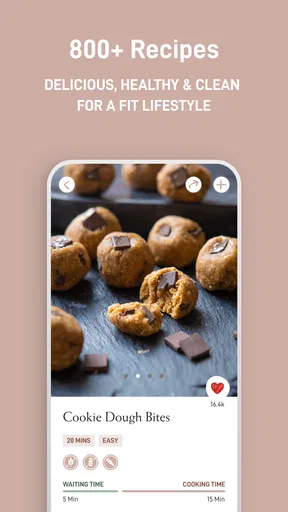
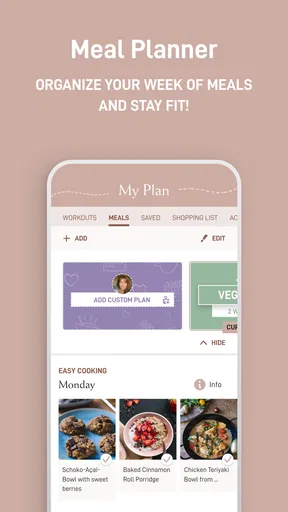
- Comprehensive meal tracking with barcode scanner.
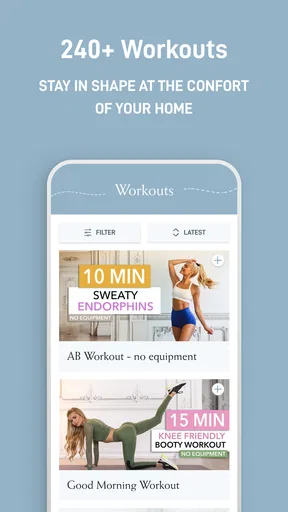
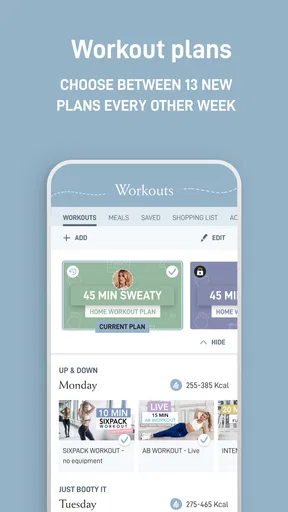
- Customizable workout plans for all levels.
- In-app community for motivation and support.
- Regular updates with new features and content.
Limitations of Pam App
- Free version has limited features.
- Occasional syncing issues with devices.
- In-app ads can be distracting.
- Requires internet for full functionality.
- No offline mode for workout videos.
Similar Picks in This Category
View All
Rappi: Food Delivery, Grocery
Rappi, Inc - Delivery3.5

McDonald’s: Cupons e Delivery
Arcos Dorados4.3

Swiggy: Food Instamart Dineout
Swiggy4.7

Blinkit: Groceries & more
Blinkit4.8

foodpanda: food & groceries
Foodpanda GmbH a subsidiary of Delivery Hero SE4.0

Zomato: Food Delivery & Dining
Zomato4.7
Frequently Asked Questions
What is the main purpose of the Pam App?
The Pam App is designed to streamline personal finance management by offering tools for budgeting, expense tracking, and financial goal setting. It provides users with insights into their spending habits and helps them make informed decisions about their financial future. This makes it ideal for anyone looking to gain control over their finances.
Is the Pam App available on both Android and iOS platforms?
Yes, the Pam App is available for download on both Android and iOS platforms. This ensures that users can access their financial data and manage their budgets seamlessly across different devices. Both versions offer the same core functionality, providing a consistent user experience.
Does the Pam App support multiple currencies?
The Pam App does support multiple currencies, making it suitable for users who manage finances across different countries. This feature is especially beneficial for travelers or expatriates who need to track spending in various currencies without hassle. Users can easily switch currencies within the app’s settings.
Are there any subscription fees or in-app purchases in the Pam App?
While the Pam App offers a free version with essential features, there are subscription-based plans available for users who want access to premium features such as advanced analytics, personalized financial advice, and ad-free usage. The pricing for these subscriptions is competitive and provides good value for the additional tools offered.
How secure is the Pam App in terms of protecting personal financial information?
The Pam App prioritizes user security by employing advanced encryption technologies to protect personal financial information. Regular security audits are conducted to ensure data integrity and privacy. Additionally, users can enable two-factor authentication for an extra layer of security, ensuring that their sensitive data remains safe from unauthorized access.
